Auto Repair Invoice Template for Mechanics and Repair Shops
Need a professional auto repair invoice template? Learn the essential elements for legal compliance, accurate billing, and how to create an auto repair invoice today.
Published · Updated · By ToolNimbly
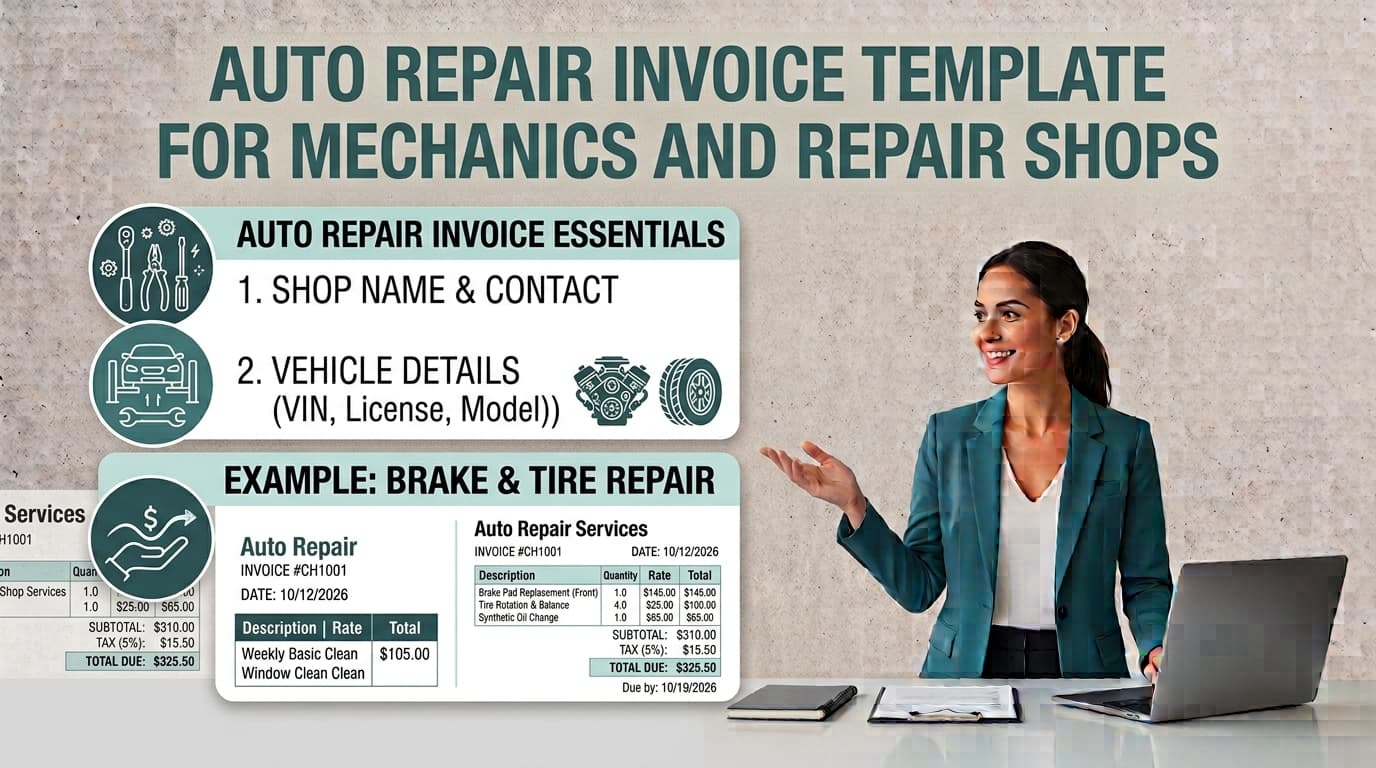
An auto repair invoice serves as a request for payment and a record of the services provided during a vehicle maintenance or repair visit. For mechanics and shop owners, this document acts as a bridge between technical service and customer communication. In an industry where clarity regarding parts, labor, and service scope is helpful, a well-structured invoice assists both the shop and the customer in understanding the transaction.
Documentation requirements for automotive billing vary by jurisdiction. Shop owners should consult their local Bureau of Automotive Repair or state consumer protection agency to understand the specific information required for their area. To maintain professional standards, many shops treat their invoice as an itemized record of the work performed.
Essential Elements of a Professional Auto Repair Invoice
A professional auto repair invoice provides a narrative of the service visit. Whether you operate as a solo technician or manage a repair facility, consistent documentation is a practical way to maintain clear records.
To create a professional record, consider including the following:
Shop Identification: Your business name, physical address, and contact information.
Customer and Vehicle Data: The customer’s name and contact information. For the vehicle, common details include the Year, Make, Model, VIN, license plate number, and the odometer reading at the time of service.
Transaction Details: A unique invoice number for tracking purposes, the date of service, and a reference to the estimate provided to the customer.
Itemized Breakdown: A list of parts used, specifying their condition, such as new, used, or rebuilt. Including manufacturer part numbers can allow for customer verification. Break down labor by describing the specific task performed, the hours billed, and the hourly rate.
Transparency in these details helps customers understand the services rendered and the associated costs. If you are ready to organize your billing, you can create an auto repair invoice using our web-based tool. This utility allows you to format, preview, and download your document as a PDF. The tool processes data locally in your browser, meaning it does not store your information on a server.
Managing Estimates and Authorizations
A common point of friction in the automotive repair industry occurs when the final bill differs from the initial estimate. Establishing a clear process for handling these discrepancies is a standard practice for maintaining customer trust.
Authorization ProceduresWhen a repair requires additional work or parts not included in the original estimate, obtaining customer authorization before proceeding is a common practice. Your invoice can reflect these authorizations by documenting the date, time, and the individual who provided approval. This practice helps ensure that the final invoice aligns with the customer's expectations and the work performed.
Disclosures and PoliciesDepending on your location, you may choose to include specific disclosures on your invoice to clarify your shop's policies. These often include:
Parts Return Policies: Clarifying whether old parts will be returned to the customer upon request.
Warranty Terms: Defining the duration and scope of the warranty provided on parts and labor.
Service Policies: Stating shop-specific policies regarding payment terms, labor guarantees, or manufacturer repair guidelines.
Always verify the language required for your invoices by consulting your local Bureau of Automotive Repair or state commerce department.
Streamlining Your Billing Process
Transitioning from handwritten forms to a structured digital format is an effective way to improve shop efficiency. Digital systems provide a legible and professional appearance that helps build confidence with your clients.
When selecting an approach for your mechanic invoice template, prioritize clarity and consistency:
Standardize Labor Rates: Clearly distinguish between flat-rate billing, based on industry-standard time guides, and actual-time billing. If your shop uses a flat-rate system, ensure the customer understands that the bill reflects the task’s standard time rather than the actual clock time spent.
Shop Supplies: If you charge a fee for shop supplies, be consistent in how you calculate it. Whether you use a percentage of labor or a flat fee, consistency helps maintain clarity.
Digital Record-Keeping: Digital invoices are often easier to archive and search. By using a tool that allows you to save PDFs, you ensure that you have a record of the transaction.
Common Practices to Improve Invoicing
Even experienced shop owners can fall into habits that create unnecessary confusion. Adopting these practices will help keep your business operations smooth and professional.
Detailed DescriptionsAvoid using generic line items such as "Misc. Labor" or "Engine Work." These descriptions can lead to questions from customers. Every line item should be specific enough that an objective third party could understand exactly what was done to the vehicle.
Financial SeparationMaintaining a clear separation between your shop’s revenue and your personal finances is a standard practice for accurate reporting and professional credibility.
Part IdentificationListing specific part numbers and the condition of the parts is a helpful practice. Providing the manufacturer part number allows the customer to verify the components used, which is a key part of justifying the cost of the repair.
Warranty DocumentationThe final invoice is the primary document a customer will look at if a repair fails. If your warranty terms are missing or ambiguous, you may leave your shop vulnerable to disputes. Clearly state the warranty duration and any conditions that might affect it, such as improper maintenance or unauthorized modifications.
Frequently Asked Questions
What should I do if the final repair cost exceeds the original estimate?It is a common practice to obtain customer authorization before the final bill exceeds the estimate. Document this authorization on the invoice, including who approved the additional work and when.
Is it better to use a digital or paper invoice?Digital invoices are often preferred because they are easier to archive, search, and professionalize. Regardless of the format, both digital and paper invoices should meet the disclosure requirements set by your state.
Are there specific laws for auto repair invoices?Regulations regarding consumer protection, disclosures, and billing standards are determined by individual states. You should always verify your requirements with your state’s Bureau of Automotive Repair or equivalent consumer protection agency.
Using Digital Tools for Your Shop
When you use a digital invoice generator, you gain the ability to manage your business and client details, invoice numbers, issue and due dates, currency, line items, payment instructions, terms, notes, discounts, and fees. A professional tool will calculate line totals, subtotals, discounts, tax, and the balance due using exact decimal arithmetic.
By choosing a system that allows you to add your own logo and select from multiple visual templates, you ensure that your paperwork reflects the quality of your mechanical work. Remember that while digital tools help you organize your billing, they do not provide legal or tax advice. Always ensure your final output meets the specific requirements of your jurisdiction.
Best Practices for Invoice Organization
To maintain an efficient shop, consider the following workflow tips for your invoicing process:
Pre-Invoice Review: Before presenting the final invoice, review the document against the original estimate to ensure all authorized changes are accounted for.
Clear Payment Instructions: Include clear instructions on how the customer can pay, such as accepted payment methods.
Consistent Formatting: Use a consistent layout for all invoices. This helps customers quickly locate information like the total amount due, the due date, and the itemized list of services.
Backup Procedures: If you use digital tools, ensure you have a reliable backup system for your PDF invoices. Storing these files in a secure, organized folder structure will save time if you need to retrieve a record for a customer or for your own internal review.
Customer Communication: Use the invoice as a tool for communication. If a repair was complex, a brief note on the invoice explaining the necessity of the work can help the customer understand the value of the service.
By focusing on these areas, you can create a billing process that is both efficient for your shop and transparent for your customers. Remember that the goal of an invoice is to provide a clear, accurate record of the transaction, which serves as the foundation for a professional relationship with your clients.
Put this into practice
Use the Invoice tool for the calculation, then read What an invoice needs to contain for the supporting explanation.