Consulting Invoice Template: What to Include + Example
Learn how to create a professional consulting invoice. Get tips on what to include, how to handle different billing models, and access a free invoice generator.
Published · Updated · By ToolNimbly
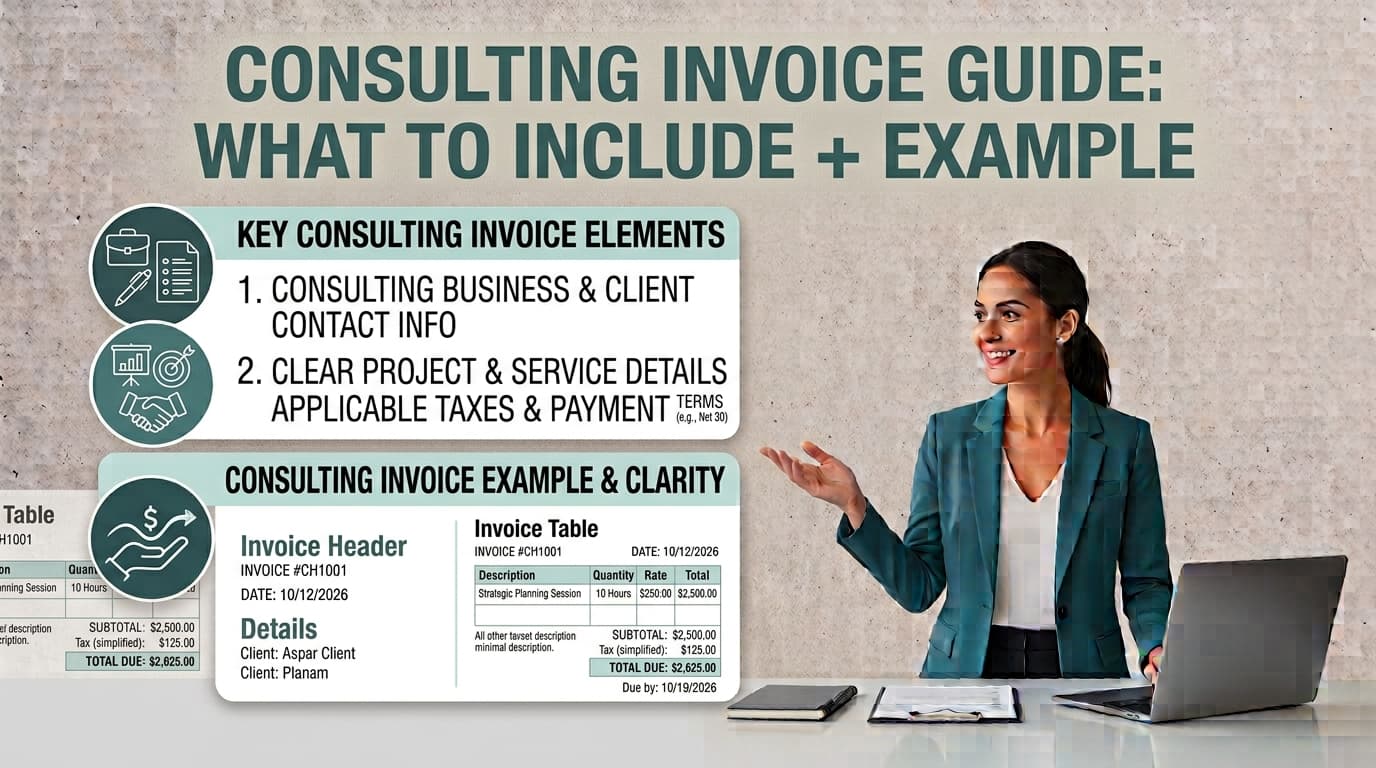
For many consultants, the transition from delivering high-value strategy to collecting payment is a significant part of the business cycle. An invoice serves as a professional request for payment and a record of the services provided. When your billing is clear, accurate, and easy for a client to process, you support a more efficient administrative experience for both parties.
What Makes a Professional Consulting Invoice?
A professional consulting invoice provides the information a client needs to verify the work and process the payment. While there is no single standard format for an invoice in the United States, maintaining clear records is a standard business practice for your own internal tracking.
To ensure your documentation is clear, consider including the following elements:
Consultant Details: Your full legal name or business entity name, address, email, and phone number.
Client Details: The specific company name and the contact person or department responsible for the invoice.
Unique Invoice ID: Every document should have a unique, sequential number, such as INV-2026-001. This is helpful for your own reconciliation.
Dates: Include the date of issuance and a specific due date. Providing a specific date helps avoid ambiguity regarding payment expectations.
Itemized Descriptions: Clear labels help the client understand the services provided. Use language that aligns with your service agreement or Statement of Work.
Payment Terms: Clearly state how you accept payment, such as ACH, bank transfer, or check.
If you are ready to organize these details, you can make a consulting invoice using our free tool. It allows you to create, format, preview, print, or download an invoice as a PDF. Because the tool processes data locally in your browser, it does not store your information on a server.
Structuring Your Invoice by Billing Model
How you structure your line items depends on your service agreement. Tailoring the layout to your billing model helps keep your documentation organized.
Hourly Billing
When billing by the hour, detail is helpful for transparency. Include the date of the work, a brief description of the task, the number of hours spent, and your hourly rate. If you performed multiple tasks on the same day, group them clearly so the client can see the breakdown of the time spent.
Project-Based Billing
For fixed-fee projects, your invoice can mirror the milestones established in your original Statement of Work. Instead of listing hours, list the specific project phase or deliverable completed. For example, use "Phase 1: Market Research Analysis" rather than a general summary. This helps the client recognize that the milestone has been met.
Retainer Billing
Retainers are often for ongoing value rather than specific deliverables. In these cases, describe the billing period clearly, such as "Strategic Advisory Retainer: October 2026." This confirms the period covered and aligns with the fixed monthly fee agreed upon in your contract.
Handling Reimbursable Expenses
If your contract allows for expense reimbursement, treat these as separate line items. Keep thorough records of your business costs, as requirements for documenting these expenses vary by industry.
A Practical Consulting Invoice Example
Imagine you are a marketing consultant finishing a project for a client. Your invoice should be structured for readability.
Example Structure:
Header: Your business name and contact info on the left; client contact info on the right.
Document Info: Invoice #1024, Issue Date: October 1, 2026, Due Date: October 31, 2026.
Line Items:
Strategy Development (10 hours at 200/hr):200/hr):2,000.00
Content Audit: $1,500.00 (Fixed fee per SOW)
Travel Expenses: $250.00
Totals: Subtotal: 3,750.00.TotalDue:3,750.00.TotalDue:3,750.00.
If you are required to collect sales tax on your services, ensure this is listed clearly. Because tax laws regarding service-based taxation vary by state and change frequently, always confirm your specific obligations with a tax professional.
Avoiding Common Invoicing Pitfalls
Even experienced consultants can fall into habits that complicate the payment process.
Vague Descriptions: Using generic labels can lead to questions from clients. If they cannot identify the service, they may request clarification.
Inconsistent Numbering: Using random numbers or no numbers at all makes it difficult to track which invoices are outstanding. A consistent, sequential system is a practical choice for your own records.
Confusing Invoices with Receipts: An invoice is a request for payment; a receipt is a confirmation that payment has been received.
Late Payment Policies: If a client misses a deadline, the professional way to handle it is to have a pre-agreed policy in your contract. Send professional reminders if the date passes without payment.
Frequently Asked Questions
How do I handle late payments from clients?
The most effective way to handle late payments is to set expectations in your initial contract, including a clear policy on late fees if applicable. If a payment is late, send a polite, professional reminder. Often, a simple email inquiring about the status of the invoice is enough to resolve the issue if the delay was an administrative oversight.
Do I need to include sales tax on my consulting invoice?
Whether you must collect sales tax depends on the nature of your consulting services and the specific tax laws of your state. Because these laws vary by jurisdiction and change frequently, you should consult with a tax professional to determine your specific obligations.
What is the best way to maintain invoice records?
Businesses should maintain copies of their invoices for their own records. Keeping a digital archive of your invoices helps with your own internal bookkeeping and reconciliation.
Should I use an invoice generator?
Using a template or generator helps ensure your invoices remain consistent in format and professional in appearance. It reduces the risk of manual errors and helps you organize essential information like totals and itemized descriptions.
Disclaimer: This guide is for educational purposes only and does not constitute legal, tax, or accounting advice. Requirements for invoicing and record retention vary by jurisdiction and individual business situation. Always consult with a qualified professional regarding your specific tax and legal obligations.
Workflow Best Practices for Consultants
Beyond the structure of the invoice itself, your internal workflow plays a major role in how quickly you get paid. Establishing a consistent routine for generating and sending invoices can reduce the administrative burden on your business.
Establishing a Billing Schedule
Decide on a billing schedule that works for your business model. For hourly work, you might choose to invoice bi-weekly or monthly. For project-based work, you might invoice upon the completion of specific milestones. Communicating this schedule to your client before the project begins helps them prepare for the incoming request for payment.
Clear Communication
Before sending an invoice, ensure the client has received the deliverables or services described. If a client is surprised by an invoice, they are more likely to pause the payment process to ask questions. A quick email stating, "I have just sent over the invoice for the work completed this month," can serve as a helpful nudge and a professional touchpoint.
Organizing Your Digital Files
Since you are responsible for your own records, create a folder structure on your computer or in a cloud storage service that is easy to navigate. You might organize files by year, then by client, and finally by invoice number. This makes it easy to retrieve documents if a client asks for a copy or if you need to reference a past project during tax season.
Reviewing Your Invoices
Before sending an invoice, take a moment to review it for accuracy. Check the math, ensure the client's contact information is correct, and verify that the line items match the work you performed. A small error, such as a typo in the total or an incorrect date, can lead to unnecessary back-and-forth communication.
Managing Client Expectations
If you have specific payment terms, such as "Net 30," ensure these are clearly stated in your contract and on the invoice itself. If a client has a specific process for receiving invoices, such as uploading them to a vendor portal, ask about this during the onboarding phase. Adapting to their process can help you get paid faster.
Using Technology Wisely
While manual spreadsheets can work for a time, they are prone to errors. Using a dedicated tool to generate your invoices ensures that your calculations are accurate and your documents look professional. When you use a tool to create your invoices, you can focus more on your consulting work and less on the mechanics of billing.
By focusing on clarity, consistency, and professional communication, you can make the invoicing process a reliable part of your consulting practice. Remember that your invoice is a reflection of your business, and a well-structured document is a sign of a well-run operation.
Put this into practice
Use the Invoice tool for the calculation, then read What an invoice needs to contain for the supporting explanation.