Freelancer Invoice Format: How to Invoice Freelance Work
Struggling with getting paid? Learn the essential freelancer invoice format, how to bill for different project types, and best practices to ensure you get paid on time.
Published · Updated · By ToolNimbly
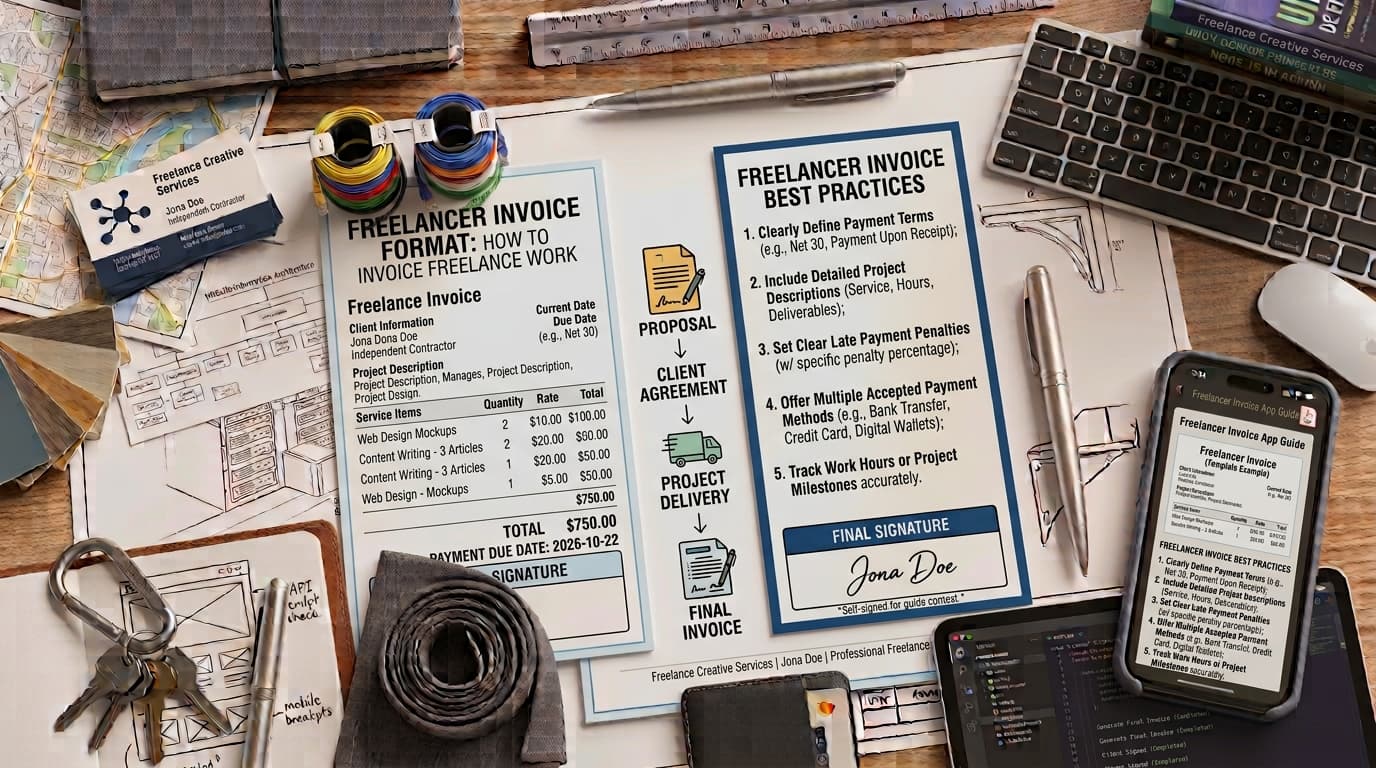
For many freelancers, the actual work is the easy part. The administrative burden of getting paid is where the real friction begins. If you struggle with late payments, client questions, or disorganized records, the problem is often your invoice.
An invoice is a formal request for payment. It serves as a business record that helps you track your income and assists your client in processing their accounts payable. When you use a consistent freelancer invoice format, you signal that you are a professional, which helps clients understand exactly what they are paying for and when.
The Anatomy of a Professional Invoice
A common mistake is treating an invoice like a casual email. Your invoice should be a standalone document that contains the information a client needs to process the payment.
To create a freelance invoice that meets professional standards, consider including these elements:
Header: Clearly label the document "Invoice."
Unique Identifier: Use a unique, sequential invoice number. This helps you and your client track the payment trail.
Contact Details: Include your full legal name or registered business name, address, email, and phone number. Include the client's formal business name and billing address as well.
Dates: Clearly state the date of issuance and the payment due date.
Itemized Services: Provide a detailed breakdown of the work performed. Instead of generic descriptions, use specific line items that reference the scope of work defined in your agreement.
Payment Terms: Clearly state how and when you expect to be paid.
If you are just starting out, you can create a freelance invoice to format, preview, print, or download an invoice as a PDF. This tool supports business and client details, invoice numbers, dates, currency, line items, payment instructions, terms, notes, discounts, and tax calculations using exact decimal arithmetic. Users can add, remove, and reorder line items, and add a logo that is processed locally. Because it requires no signup and sends no data to a server, it is a secure way to generate professional documents. The tool does not maintain an automatic numbering sequence, a client database, or provide legal or tax compliance guarantees.
Structuring Your Invoice for Different Billing Models
The way you structure your invoice depends on the agreement you reached with your client. Consistency is key to avoiding confusion.
Hourly BillingWhen billing by the hour, detail is a useful defense against payment disputes. Track your time to two decimal places and provide a clear description of the tasks performed. If you worked on multiple tasks, list them as separate line items so the client can see exactly where the time was spent.
Project-Based BillingFor fixed-fee projects, avoid sending a single invoice for the total amount at the end of the project. Instead, break the project into milestones. For example, include line items for "Phase 1: Research and Outline," "Phase 2: Draft Development," and "Phase 3: Final Revisions." This provides transparency and allows for partial payments throughout the project lifecycle.
Retainer BillingRetainers require a predictable, recurring invoice. Send these on the same day each month. Clearly display the total retainer amount and include a section for any additional hours or expenses that fall outside the standard retainer agreement to prevent billing surprises.
Best Practices to Get Paid Faster
Invoicing anxiety is often caused by waiting too long to bill or using vague language. To improve your cash flow, adopt these professional habits:
Be Specific with Payment TermsAvoid the phrase "due upon receipt." It is ambiguous and often leads to delays. Use standard terms such as "Net 15" or "Net 30," which indicate exactly how many days the client has to pay. This creates a clear expectation for both parties.
Invoice ImmediatelyDo not wait until the end of the month to send an invoice. Send it the moment a milestone is reached or the project is completed. The sooner the invoice lands in your client's inbox, the sooner it enters their payment queue.
Define Payment MethodsList your accepted payment methods clearly on the invoice. If you use a digital payment platform, include clear instructions. The easier you make it for a client to pay, the less likely they are to procrastinate.
Late Fees and ContractsYou may choose to implement late fees for overdue payments. However, these are only relevant if they were clearly outlined in your original contract. Never add a surprise late fee to an invoice that was not previously agreed upon in writing.
Compliance and Organization
Professional invoicing also means protecting your data and staying organized for your own records.
Security ConsiderationsBe cautious about the information you include on your invoices. Avoid placing sensitive personal identifiers on your invoices. If a client requires your tax information for reporting purposes, provide them with a completed W-9 form through a secure, separate channel. Using an Employer Identification Number is a common practice for business invoicing to help protect your personal information.
Invoices vs. ContractsRemember that an invoice is a request for payment, not a contract. A contract should be signed before work begins and should define the scope, deliverables, and payment terms. If a dispute arises, the contract is your primary reference; the invoice is your record of the work delivered.
Sales Tax and NexusSales tax laws for freelance services vary significantly by state and municipality. Some regions require you to collect sales tax on digital services, while others do not. Because these laws change frequently, you should consult a local tax professional to determine if you are required to charge sales tax in your jurisdiction.
Tracking Your IncomeYour invoices serve as vital evidence for your income reporting. Regardless of whether a client sends you tax forms, you are responsible for tracking and reporting all self-employment income.
Maintaining Professional Relationships
The way you present your invoice reflects your brand. A clean, well-formatted document reduces the likelihood of questions from your client's accounting department. When you provide a clear, itemized list of services, you demonstrate that you value the client's time and your own.
Handling Client QuestionsEven with a well-prepared invoice, a client may occasionally have questions. When this happens, respond promptly and professionally. If a client asks for clarification on a line item, provide the necessary context without becoming defensive. This is an opportunity to reinforce the value of the work you delivered.
Record KeepingMaintain a digital folder for every invoice you send. Even if you use a tool to generate the document, keep a copy of the final PDF for your own records. This makes it significantly easier to reconcile your bank statements at the end of the year and ensures you are prepared for tax season.
The Role of CurrencyIf you work with international clients, always state the currency clearly on your invoice. For example, use "5,000 USD" rather than just "5,000." This avoids ambiguity and prevents potential disputes regarding exchange rates or payment amounts.
Consistency in BrandingWhile an invoice is a functional document, it is also a touchpoint for your brand. Using a consistent layout, font, and professional presentation helps your clients recognize your invoices immediately. This familiarity can help your invoices move through their internal approval processes more quickly.
By treating your invoicing process as a core business workflow rather than an afterthought, you reduce the risk of errors and ensure your records are ready for tax season. Keep your invoices professional, clear, and consistent to maintain healthy relationships with your clients.
Put this into practice
Use the Invoice tool for the calculation, then read JPG, PNG or WebP: choosing an image format for the supporting explanation.