Handyman Invoice Template: Guide and Example
Need a professional handyman invoice template? Learn how to structure labor, materials, and travel costs to get paid faster. Download or create your invoice today.
Published · Updated · By ToolNimbly
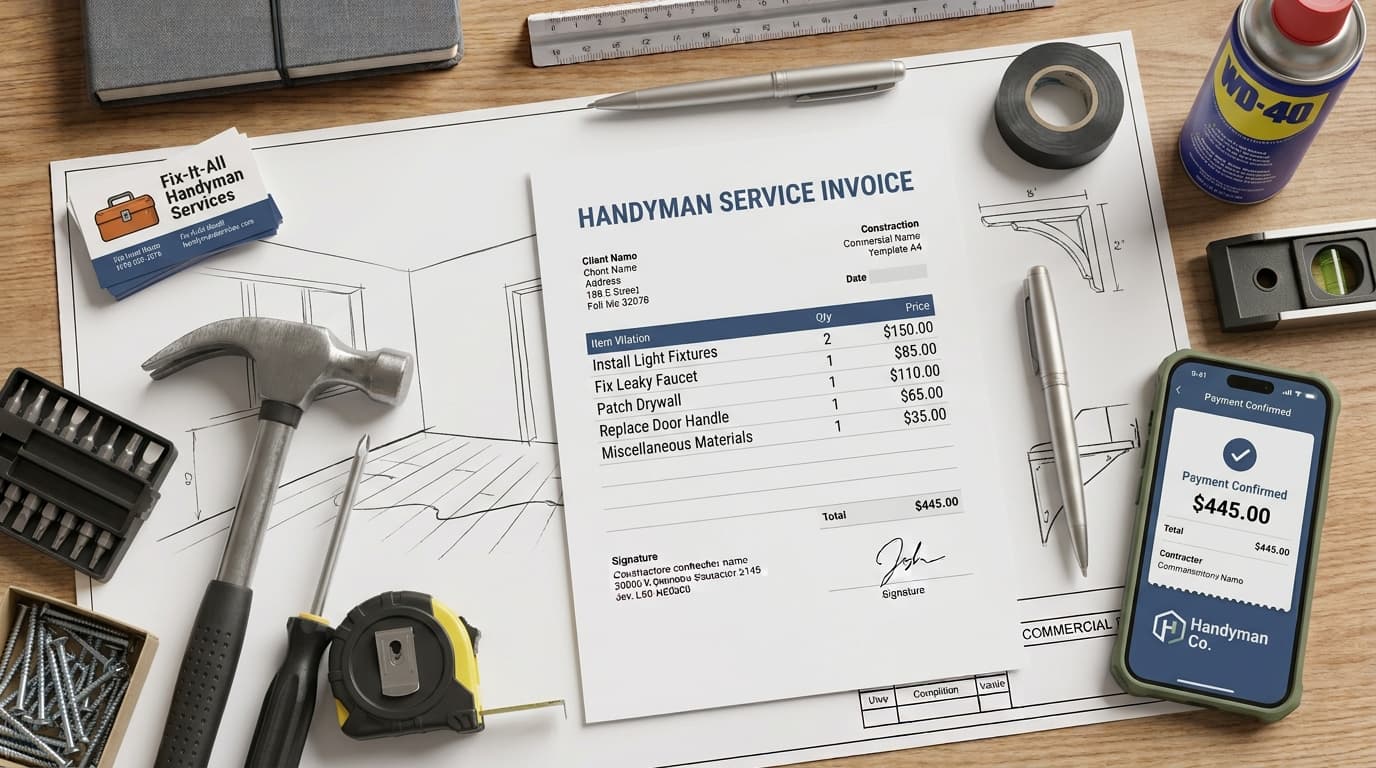
Running a successful handyman business involves balancing technical repair work with administrative tasks. A well-structured invoice serves as a record for your business income and provides your clients with a summary of the work performed. By presenting your charges in a clear format, you help your clients understand the services provided and the associated costs.
Why a Professional Handyman Invoice Matters
A professional invoice acts as a record of the work performed, which is useful for maintaining organized business books. According to the IRS, businesses should keep records that clearly show income and expenses to support the information reported on tax returns. These records often include invoices, receipts, and other supporting documents.
Beyond recordkeeping, using a consistent invoice format helps you track your earnings and identify which jobs are most profitable. When a client receives a document that is clean, easy to read, and logically organized, they receive a clear summary of the project. This clarity can help foster professional relationships with your customers.
Essential Components of a Handyman Invoice
While documentation practices vary by business, a standard invoice typically includes several elements to ensure both you and your client understand the charges. A handyman invoice often features:
Business Details: Your company name, phone number, email address, and mailing address.
Client Information: The name and address of the client who commissioned the work.
Tracking Details: A unique invoice number for your records and the date the invoice was issued.
Service Description: A list of the tasks completed.
Financial Breakdown: A list of labor, materials, and any additional fees.
Payment Terms: Information regarding how you expect to be paid.
Using a consistent format allows you to present this information clearly. When you provide a breakdown of costs, you remove ambiguity, which can help clarify the billing process for your clients.
How to Structure Your Billing: Hourly vs. Flat-Rate
The way you structure your invoice depends on how you agree to charge your clients. Whether you are billing for a single installation or a series of repairs, transparency is helpful.
Hourly Billing
When billing by the hour, your invoice should show the time spent and the rate applied. Include a description of the task, the number of hours worked, and the hourly rate. If you worked on multiple tasks in one day, listing them as separate line items can help the client see the time allocation.
Example:
Task: Fixing kitchen faucet (2 hours at 75/hr):75/hr):150.00
Task: Replacing bathroom light fixture (1.5 hours at 75/hr):75/hr):112.50
Subtotal: $262.50
Flat-Rate Billing
For projects with a set price, the invoice should state the scope of the work. This helps the client understand that they are paying for a completed result. Even with a flat rate, it is helpful to list the primary components of the job to show the value provided.
Handling Materials and Travel
Materials and travel fees are often listed separately from labor. If you purchased supplies, it is good practice to keep copies of the store receipts for your own records. This level of detail provides transparency regarding the costs incurred during the project.
If you are ready to organize your billing process, you can make a handyman invoice. This tool allows you to create, format, preview, print, or download an invoice as a PDF. It supports business and client details, invoice numbers, dates, currency, line items, payment instructions, terms, notes, discounts, one document-level tax, shipping or fees, paid amounts, and balance due. It performs all calculations using exact decimal arithmetic. Because the tool operates entirely in your browser, your data remains private and is not sent to a server.
Best Practices for Clear Communication
Improving your billing workflow can help you manage your business more effectively. Consider these practical habits:
Send Promptly: Providing the invoice shortly after the work is completed ensures the details of the service are fresh in the client's mind.
Be Specific: Vague descriptions can lead to confusion. Use specific language, such as "Replaced kitchen cabinet hinges" or "Repaired drywall in master bedroom," to provide clarity.
Set Clear Terms: State your expectations regarding payment timing. Having these terms written on every invoice establishes a consistent standard for your business.
Offer Multiple Methods: Make it as easy as possible for the client to understand how to pay you. If you accept multiple payment methods, list them clearly at the bottom of the document.
Frequently Asked Questions
Should I use a document editor or a specialized tool for my invoices?
Using a general document editor or a spreadsheet requires manual formatting and carries the risk of calculation errors. A specialized tool ensures your document maintains a layout and performs math automatically. While manual templates allow for customization, digital tools are designed to help you avoid common formatting mistakes.
How do I handle material costs on an invoice?
The best approach is to create a dedicated line item for materials. You can list the specific items purchased and their cost. Always keep the original store receipts for your own records, as these are useful for your business documentation.
What if a client has questions about an invoice?
Questions often arise from a lack of communication. If a client asks about a charge, refer back to the itemized list on the invoice. Maintaining detailed records of the work performed and any materials purchased will help you address discrepancies. Keep a professional tone during these conversations and provide any supporting documentation if necessary to clarify the charges. If you find that specific tasks consistently cause confusion, consider updating your invoicing process to provide more detail in those areas.
Does the invoice tool store my data?
The invoice tool operates entirely in your browser. It does not send your invoice data to a server. If you choose to use the draft feature, that information is stored only in your current browser. The tool does not maintain a server-side client database or cross-device history.
Can I add my company logo to the invoice?
Yes, you can add a logo to your invoice. The image is processed locally within your browser and is not uploaded to any external server.
Does the tool handle tax calculations?
The tool supports one document-level tax. It calculates the tax amount based on the subtotal and adds it to the final balance. It does not support mixed tax rates or complex regional tax requirements. Because tax laws vary by jurisdiction, you should consult with a professional regarding your specific tax obligations.
How do I ensure my invoices are accurate?
The invoice tool performs all calculations, including line totals, subtotals, discounts, taxes, fees, and the final balance, using exact decimal arithmetic. This helps ensure the math on your document is correct. Always review the final PDF before printing or sending it to ensure all details, such as the client's address and the service description, are accurate.
Are there different design options?
The tool provides at least two visual templates to choose from. You can preview these templates to see which layout best suits your business needs.
What should I include in the payment instructions?
You can include clear instructions on how the client should pay you. This might include information on accepted payment methods. Ensure that you do not include sensitive information like full bank credentials or private identifiers on the invoice.
Is the invoice a legal document?
An invoice is a business record and a request for payment. Its effect depends on the surrounding agreement between you and your client, as well as the laws of your jurisdiction. It is not a substitute for a formal contract. If you have questions regarding the legal or tax implications of your business practices, consult with a qualified professional in your area.
How do I manage invoice numbers?
The tool allows you to enter an invoice number manually. It does not maintain an automatic numbering sequence. You should establish a system for tracking your invoice numbers to keep your records organized.
Can I use the tool to send invoices via email?
The tool does not have an email feature. You can download the invoice as a PDF and then send it to your client using your own preferred email service or delivery method.
Does the tool provide accounting advice?
No, the tool is designed for creating and formatting invoices. It does not provide accounting, tax, or legal advice. For guidance on how to manage your business finances or comply with local regulations, consult with a qualified accountant or legal advisor.
How can I improve my recordkeeping?
Beyond invoices, consider maintaining a digital or physical folder for each client. This folder can house copies of sent invoices, receipts for materials purchased, and notes regarding the scope of work. Consistent recordkeeping makes it easier to prepare for tax season and helps you track the financial health of your business over time. If you are unsure about what specific records you need to keep, the IRS website provides general guidance on recordkeeping for small businesses.
What if I need to offer a discount?
If you decide to offer a discount, such as a senior discount or a referral incentive, ensure it is clearly labeled on the invoice. A dedicated line item for the discount helps the client see the reduction in the final balance. This transparency prevents confusion and shows the client exactly how the final price was calculated.
How should I handle late payments?
If a payment is not received by the due date, follow up with the client in a professional manner. A polite reminder email or phone call is often sufficient to resolve the issue. If you find that late payments are a recurring problem, you may want to revisit your payment terms and ensure they are clearly communicated to the client before the work begins. Always keep a record of your communication regarding payment status.
Can I use the tool for different types of handyman work?
Yes, the tool is flexible enough to handle various types of handyman services. Whether you are doing plumbing, electrical work, carpentry, or general home repairs, you can customize the line items to reflect the specific tasks performed. The ability to add, remove, and reorder line items allows you to tailor each invoice to the unique requirements of the job.
Why is it important to include a due date?
Including a due date on your invoice sets a clear expectation for when payment is expected. This helps you manage your cash flow and provides the client with a clear timeline. When setting a due date, consider the nature of the work and your business practices. Some handymen prefer payment upon completion, while others may offer a net-15 or net-30 term. Whatever you choose, ensure it is clearly stated on the invoice.
How do I handle shipping or service fees?
If you charge a service fee or a trip charge, you can include this as a separate line item on the invoice. Clearly labeling these fees helps the client understand the total cost of the service. If you have a standard policy for these fees, it is helpful to mention it to the client during the initial consultation or estimate phase.
What is the benefit of using a PDF format?
A PDF is a standard file format that preserves the layout and formatting of your invoice, regardless of the device or software the client uses to view it. This ensures that your invoice looks professional and is easy to read. Additionally, a PDF is difficult to alter, which helps maintain the integrity of your business records.
How can I make my invoices look more professional?
In addition to using a clean layout, ensure that your invoice is free of typos and grammatical errors. Double-check all calculations and ensure that the client's information is correct. Adding your company logo can also help build brand recognition and make your invoices look more established. Remember that your invoice is often the final document a client receives from you, so it is an opportunity to leave a positive impression.
Put this into practice
Use the Invoice tool for the calculation, then read What an invoice needs to contain for the supporting explanation.