Invoice Book vs Digital Invoice: Which Fits Your Workflow?
Compare invoice booklets and digital invoices by workflow, delivery, calculations, records, and customer needs to choose a practical billing approach.
Published · Updated · By ToolNimbly
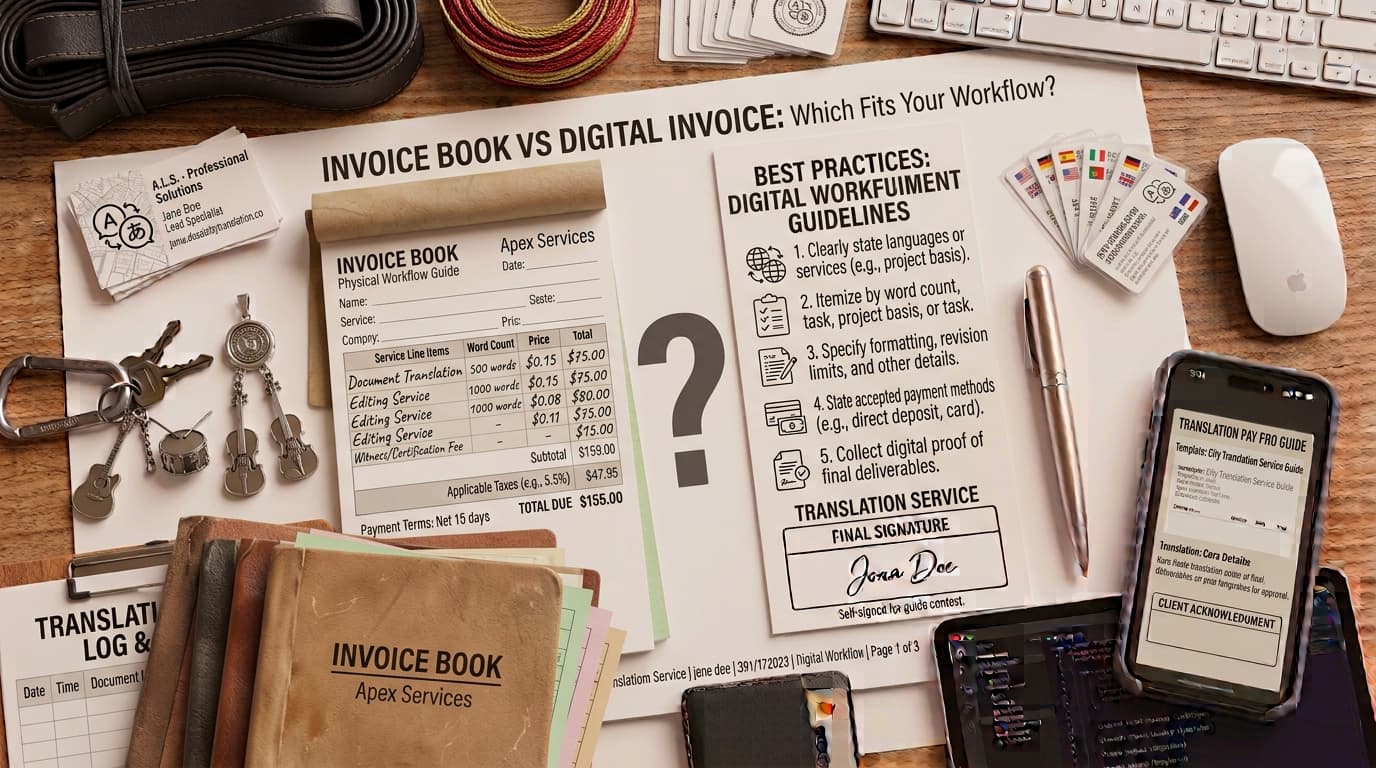
An invoice booklet and a digital invoice solve the same basic problem: they record a payment request. The better choice depends on how you work, how your customers pay, where the invoice is created, and how easily you need to retrieve records later.
A paper invoice booklet can be practical for a mobile business that needs to hand a customer a document on the spot. A digital invoice can be easier to edit, duplicate, store, and share as a PDF. Neither option is automatically more professional. The quality comes from accurate details, clear terms, and a reliable recordkeeping process.
What is an invoice booklet?
An invoice booklet is a bound or carbon-copy pad of preformatted invoice pages. A business fills it in by hand, gives a copy to the customer, and keeps another copy for its own records. Some booklets use duplicate or triplicate pages so the seller, customer, and accounting file each receive a copy.
Invoice booklets are common in field service, delivery, repair, market, and cash-based settings where a laptop or stable internet connection is not always convenient. They are also useful as a backup when digital systems are unavailable.
What is a digital invoice?
A digital invoice is created electronically and shared as a file, email attachment, customer-portal document, or similar digital record. Many businesses create a PDF so the invoice can be viewed consistently and saved by both the sender and customer.
Digital invoicing does not automatically mean payment is collected online. It simply means the document is created or delivered electronically. Payment can still be made by bank transfer, check, card processor, cash, or another method the business accepts.
Invoice booklet vs digital invoice
| Consideration | Invoice booklet | Digital invoice |
|---|---|---|
| Creating the invoice | Handwritten, often useful in the field | Typed, easy to revise before sending |
| Giving it to the customer | Immediate paper copy | Fast PDF or electronic delivery |
| Calculations | Manual calculation and review | Can be calculated by the tool used |
| Record retrieval | Requires organized physical storage | Searchable when files are named and stored consistently |
| Branding | Often limited to preprinted booklet design | Can include a logo and consistent layout |
| Connectivity | Works without power or internet | Requires a device to create and usually share |
When an invoice booklet makes sense
A booklet can be a sensible choice when you regularly meet customers face to face and need to leave a copy immediately. A plumber finishing a small repair, a mobile technician completing a callout, or a vendor making a local delivery may find a carbon-copy pad faster than opening a device.
If you use paper, make the handwriting readable and fill in every important field before handing the customer their copy. Use a unique number, identify the customer, describe the work or goods, show the total, and include a payment deadline or status. Store your copy in sequence so it can be found later.
When a digital invoice makes sense
A digital invoice can be a stronger fit when you invoice from an office, work with remote clients, send recurring bills, or need to look up old records often. You can review totals before sending, reuse client details, create a PDF, and keep a copy in an organized folder.
Digital documents also make it easier to correct a draft before it is sent. Once an invoice has been issued, keep the sent version and document any correction rather than overwriting the only copy. The right correction method may depend on tax treatment and your accounting process.
How to choose for your workflow
- Consider where invoices are created. Field-based and cash-heavy work may benefit from paper. Desk-based and remote work may benefit from digital files.
- Consider the customer’s process. Some clients need an emailed PDF or a portal upload, while others prefer a copy at the point of service.
- Consider record retrieval. If you often need to find old invoices, digital file naming and storage can save time.
- Consider calculation complexity. Multiple line items, discounts, deposits, fees, or taxes require careful review when handwritten.
- Consider a hybrid approach. You can issue a paper receipt or field record, then create a digital invoice or PDF for your business records when appropriate.
You can create a digital invoice with business and client details, line items, discounts, one document-level tax, fees, notes, and a clear balance. ToolNimbly lets you preview, print, or download a PDF. It does not send invoices, maintain a customer database, or store your invoice history, so decide where you will keep the final files.
Keeping paper and digital records organized
Paper invoices need a physical filing system. Keep them in numerical order and store duplicates with related payment evidence. Digital invoices need a naming convention and a reliable folder or accounting system. A useful file name could include the date, invoice number, and customer name, such as 2026-09-INV-3102-Harbor-Retail.pdf.
For U.S. businesses, the IRS lists invoices, receipts, deposit slips, paid bills, and canceled checks among supporting records. It is the organization of the evidence, not just the format of the invoice, that helps you reconstruct a transaction later.
Common mistakes in either format
- Skipping the invoice number: A unique reference helps with payment matching and follow-up.
- Leaving the due date blank: The customer may not know when payment is expected.
- Using unclear item descriptions: The invoice should connect to the work or goods the client recognizes.
- Failing to retain a copy: Keep the seller’s version with payment evidence and relevant agreement details.
- Mixing invoice and receipt language: An invoice requests payment. A receipt confirms payment was received.
Frequently asked questions
Can I print a digital invoice?
Yes. A PDF invoice can be printed when a customer needs a paper copy. Review the printed version to make sure the totals, dates, and payment instructions remain clear.
Can I use both a booklet and digital invoices?
Yes. A hybrid process can work well when field staff need an immediate paper record but the business also needs a searchable digital copy.
Are digital invoices accepted as records?
Electronic records can be useful, but the recordkeeping rules that apply to you depend on your business and jurisdiction. Keep complete supporting information and seek professional advice when needed.
Sources and note
- Internal Revenue Service: What kind of records should I keep?
- Internal Revenue Service: Publication 17, electronic records
This article is general educational information, not legal, tax, or accounting advice. Choose invoicing tools and recordkeeping methods that fit your business, clients, and local requirements.
Put this into practice
Use the Invoice tool for the calculation, then read What an invoice needs to contain for the supporting explanation.