Sales Invoice Example: What to Include
Learn what to include in a sales invoice to ensure you get paid on time. Get a clear breakdown of essential elements and best practices for your business.
Published · Updated · By ToolNimbly
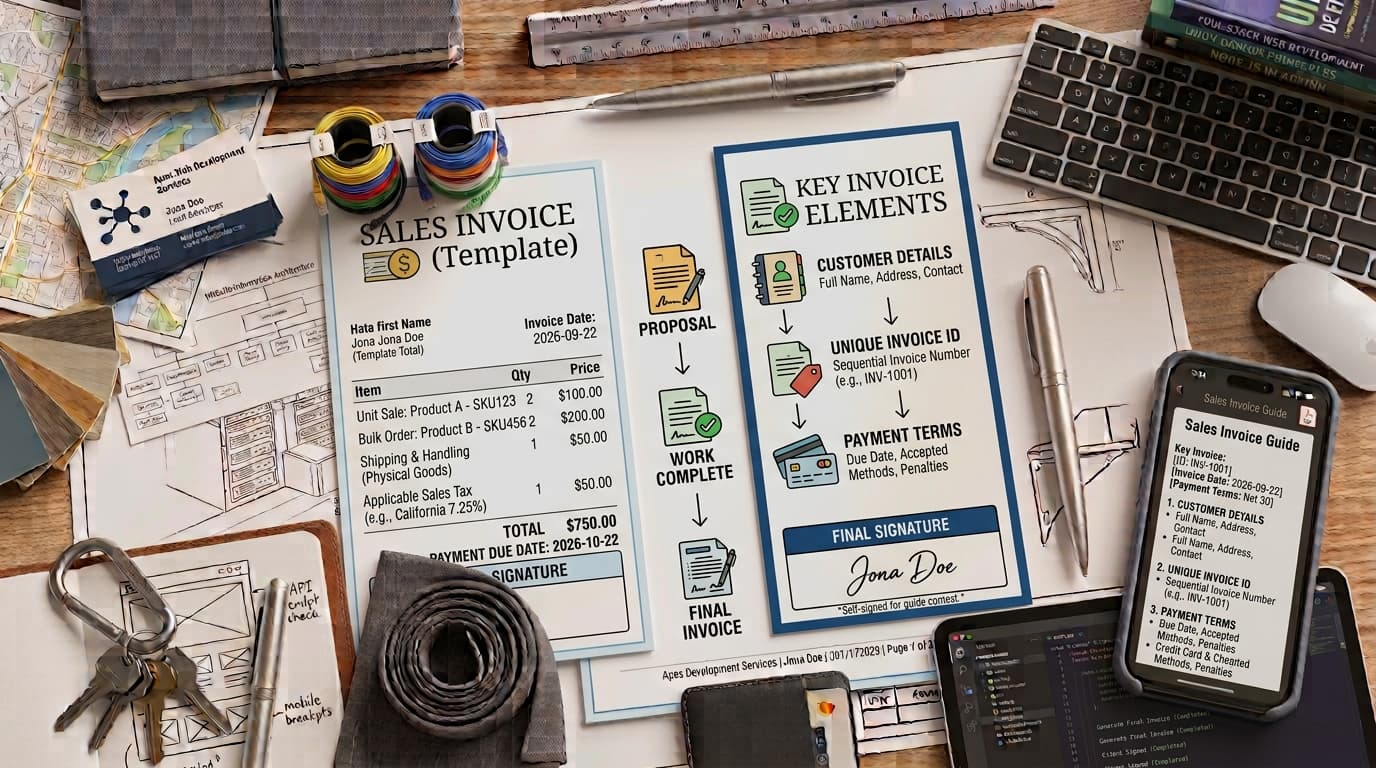
A sales invoice is a commercial document issued by a seller to a buyer that requests payment for goods or services. It serves as a record of a transaction and is a common tool for tracking accounts receivable. While business owners often view invoicing as an administrative task, it is a central step in the payment cycle. A clear and accurate invoice provides your client with the information needed to process your request for payment.
Understanding the Transaction Cycle
To maintain organized records, it is helpful to distinguish the sales invoice from other common business documents. Each serves a specific purpose in the commercial relationship:
Purchase Orders: These are initiated by the buyer to authorize a purchase before the work begins or the goods are shipped.
Sales Orders: These are internal documents created by the seller to confirm they can fulfill the specific request made by the buyer.
Receipts: These are documents issued after payment has been successfully processed, serving as confirmation that the transaction is complete.
Unlike these documents, the sales invoice is a request for payment. While there is no single federal standard for the format of an invoice in the United States, keeping accurate records is a standard business practice for your own internal accounting.
Essential Elements of a Professional Sales Invoice
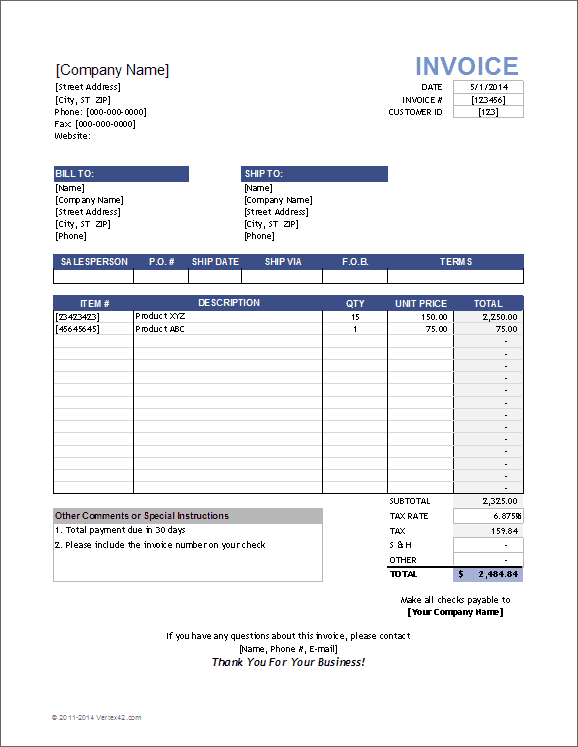
example sales invoice template by vertex42
To ensure your invoice is easy for your client to process, it is helpful to include a specific set of data points. A well-structured sales invoice typically includes the following components:
1. Header and Contact InformationClearly label the document as an Invoice. Include your business name, address, and contact details, alongside the full name and address of the client. Having this information visible helps ensure the payment request is directed to the correct party.
2. Unique IdentifiersAssign a unique invoice number to every document. Using a consistent system helps you track payments and prevents confusion. Include the date the invoice was issued and a clear payment due date.
3. Itemized BreakdownList each good or service provided, the quantity, the unit price, and the resulting line total. Clarity here helps prevent questions from clients, which can assist in the timely processing of your request.
4. Financial SummaryProvide a transparent calculation. This should include the subtotal of all line items, any applicable discounts, taxes, or fees, and the final balance due.
5. Payment Terms and MethodsState your expectations clearly. If you require payment within 30 days, use the term Net 30. Include instructions on how the client can pay, such as bank transfer details or links to online payment portals.
How to Create a Sales Invoice That Gets Paid
The process of generating an invoice should be consistent. Start by calculating your line totals by multiplying the quantity by the unit price. Once you have your subtotal, apply any applicable taxes or fees. Because tax requirements vary by state and service type, verify the specific rates that apply to your business through your state Department of Revenue.
If you are looking for a professional way to format your billing, you can create a sales invoice using our dedicated generator. This tool allows you to input your business and client details, set your terms, and calculate your totals using exact decimal arithmetic. It supports the addition of a logo, allows you to add or remove line items, and provides at least two visual templates. You can use it to create, format, preview, print, or download an invoice as a PDF. The tool requires no signup and stores no invoice data on a server, as any optional drafts are kept only in your current browser.
When preparing your invoice, avoid common errors such as vague service descriptions or incorrect math. A clear, itemized invoice serves as a professional reflection of your business standards and minimizes the friction that can lead to payment delays.
Best Practices for Managing Invoices
Efficiency in invoicing is tied to how you handle the administrative side of your business. Manual templates can work for low-volume businesses, but they often lack the precision of dedicated software. Using a tool to generate your documents helps ensure that your calculations remain accurate and that your branding remains consistent across all client communications.
Managing Late PaymentsLate payments are a reality for many businesses, but you can mitigate the risk by establishing clear terms in your contracts. If a payment is missed, proactive communication is a useful tool. Send a polite reminder a few days before the due date and follow up if the date passes without payment.
Regarding late fees or interest charges, these are determined by state law and the specific terms outlined in your original service contract. Ensure your contract clearly states the consequences of late payment before you begin work, as this provides a basis for your collection efforts should they become necessary.
Structuring Your Workflow
Beyond the document itself, your internal workflow determines how effectively you manage your accounts receivable. Consider these steps to streamline your process:
Standardize Your Data: Keep a master list of your services and their associated prices. This ensures that every invoice you send is consistent and that you are not accidentally charging different rates for the same service.
Verify Client Details: Before sending an invoice, confirm that you have the correct billing contact and address. Sending an invoice to the wrong person or department is a common cause of payment delays.
Use Clear Descriptions: Instead of writing "Consulting Services," use specific language like "Project Alpha: 10 hours of strategy development at $100 per hour." This level of detail helps the client verify the work performed and speeds up the approval process.
Review Before Sending: Always double-check your math. Even if you use a calculator or software, a quick visual scan can help you catch errors like missing line items or incorrect tax rates.
Maintain a Filing System: Whether you store your invoices digitally or in print, keep them organized by date or client name. This makes it much easier to reconcile your bank statements at the end of the month.
Frequently Asked Questions
What is the difference between an invoice and a receipt?An invoice is a request for payment sent to a client before the funds have been transferred. A receipt is a document issued after the payment has been successfully received, serving as proof that the debt has been settled.
Do I need to include sales tax on every invoice?Not necessarily. Sales tax requirements depend on your location, the nature of your goods or services, and whether you have a tax nexus in the state where your client is located. You should check your state Department of Revenue website for the most current regulations.
Should I use a template or software to create my invoices?While simple templates can suffice for businesses with very low transaction volumes, software is generally superior. Automated tools help maintain consistent formatting, ensure accurate math, and provide a professional appearance that builds trust with your clients. Using a dedicated generator ensures that your calculations remain precise through exact decimal arithmetic, which is often difficult to manage in manual spreadsheets.
How should I handle a client who disputes an invoice?If a client disputes an invoice, remain professional and objective. Review your original contract and the itemized list on the invoice to see if there is a misunderstanding regarding the scope of work or the pricing. Provide any documentation or progress reports that support the charges. Clear communication is usually the most effective way to resolve these issues.
What if I need to change an invoice after it has been sent?If you discover an error after sending an invoice, contact your client immediately. Explain the mistake and provide a corrected version of the document. It is often helpful to void the original invoice number in your records and issue a new one to maintain a clear audit trail.
How long should I keep copies of my invoices?Business record retention policies vary based on your specific industry and tax situation. It is generally recommended to consult with a tax professional or accountant to determine how long you should keep your financial records for your specific business structure.
Can I include my payment instructions on the invoice?Yes, including clear payment instructions is a best practice. You can specify the methods you accept, such as bank transfers or online payment portals. Ensure these instructions are easy to find and understand so that your clients have no confusion about how to settle their balance.
Is there a specific way to number my invoices?Using a sequential system is a standard business practice. It helps you keep track of your revenue and makes it easier to identify if an invoice has been missed or lost. You might choose to use a simple sequence like 001, 002, 003, or a more complex system that includes dates or client codes. The most important thing is that your system is consistent and easy for you to manage.
Put this into practice
Use the Invoice tool for the calculation, then read What an invoice needs to contain for the supporting explanation.