Translation Invoice Template: Guide and Example
Need a translation invoice template? Learn how to bill for word counts, language pairs, and rush fees. Use our tool to create a translation invoice in minutes.
Published · Updated · By ToolNimbly
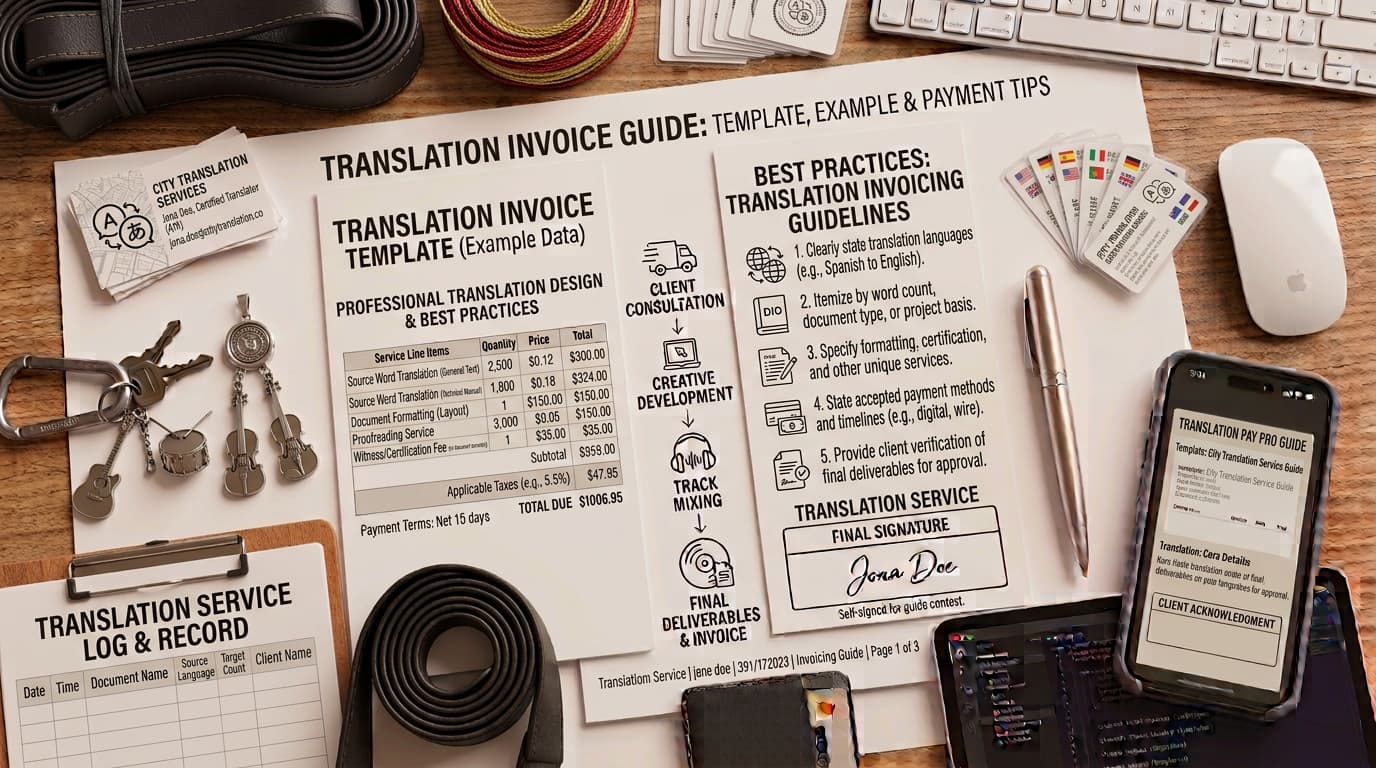
Professionalism in the freelance translation industry relies on clear communication and consistent documentation. Whether you are translating technical manuals, marketing copy, or legal documents, your invoice serves as a request for payment and a record of services rendered. A well-structured translation invoice template helps you maintain organized business records and provides your clients with the information they need to process payments.
Why a Professional Translation Invoice Matters
For a freelance translator, an invoice is a standard step in the project workflow. Providing a clear, itemized document helps clients process payments by reducing the need for clarification regarding project scope or pricing.
From a business management perspective, maintaining detailed invoices is a practice for tracking income. According to the IRS, businesses should keep records, such as invoices, that show income and expenses. The agency notes that businesses may choose a recordkeeping system that suits their needs, provided it clearly shows income and expenses. By using a consistent, professional format, you ensure that your business records remain organized and that you capture details like project references or specific language pairs, which are helpful for your own financial tracking.
Common Components of a Translation Invoice
A professional invoice should be easy to read. When a client opens your document, they should be able to identify the sender, the recipient, and the work performed. To ensure clarity, consider including the following elements:
Contact Information: List your name or business name, address, and contact details alongside the client’s billing information.
Invoice Number and Dates: Assign a unique number to every invoice to simplify your internal tracking. Include the date of issue and the payment due date.
Project Reference Identifiers: If the client provided a Purchase Order (PO) number or a specific project code, include it. This is often a helpful field for a client’s accounts payable department.
Language Pair: State the source language and the target language (e.g., English to Spanish). This is helpful for agencies or clients handling multiple projects simultaneously.
Itemized Services: Provide a breakdown of the work performed, including the type of translation, word count, and any additional services like editing or proofreading.
How to Structure Your Translation Pricing
Pricing models in translation vary depending on the client and the nature of the project. Transparency is a factor in maintaining professional relationships.
Per-Word BillingThis is a common industry practice. On your invoice, list the source language, the target language, the total word count, and your agreed-upon rate per word. Showing the word count allows the client to verify the total against the source document. For example, if you translate 2,000 words at a rate of $0.15 per word, your line item would show: "Spanish to English Translation: 2,000 words @ $0.15/word = $300.00."
Per-Page or Hourly BillingIf you are translating documents where word counts are difficult to track, such as complex PDF layouts or highly formatted marketing materials, you might bill per page or by the hour. If you bill hourly, provide a description of the tasks performed during those hours to justify the time spent. For example: "Project Management and Formatting: 3 hours @ $50/hour = $150.00."
Additional FeesIf a client requests a turnaround time that requires you to work outside of your standard schedule, you may list a "Rush Fee" as a separate line item. Similarly, if you agree to perform additional revisions beyond the initial scope, list these as a distinct line item with a description of the work. Keeping these separate from your base rate helps the client understand the value of your standard services versus premium, expedited work.
Creating Your Invoice Efficiently
Manual formatting can be time-consuming. Using a digital tool allows you to automate the calculation of subtotals, taxes, and final balances.
When you are ready to finalize your billing, you can create a translation invoice using our dedicated tool. This generator allows you to input your specific business details, add custom line items for your translation services, and handle fees, discounts, or taxes.
The tool supports the creation of professional documents that can be printed or downloaded as a PDF. It allows you to add a logo, which is processed locally and is not uploaded to a server. Because the tool processes data locally in your browser, you do not need to worry about the security of sensitive client information being uploaded to a server. Simply fill in the fields, review your line items, and generate your invoice. Once finished, you can save the file to your local records, ensuring you have a consistent paper trail for your business bookkeeping.
Best Practices for Invoice Management
Beyond the layout of the invoice, how you manage your billing workflow impacts your business efficiency.
Consistency in FormattingUsing a consistent template for every client helps you maintain a professional brand image. When your invoices look the same, clients become familiar with where to find the information they need, such as your payment instructions or the project reference number.
Clear Payment TermsState your payment terms on every invoice. This includes the due date and the accepted methods of payment. If you require payment via bank transfer, include the necessary details clearly. Avoid including sensitive personal credentials or full bank account numbers on the invoice if you prefer to share those details through a more secure, private channel.
RecordkeepingAs noted by the IRS, maintaining organized records is essential for business owners. After you send an invoice, save a copy of the final PDF in a dedicated folder on your computer or cloud storage. This ensures that if a client asks for a copy of a past invoice or if you need to reference a project from months prior, you can retrieve the information quickly.
Handling InquiriesOccasionally, a client may have a question about an invoice. When this happens, refer back to your itemized list. If you have clearly broken down the word count, the rate, and any additional fees, it is easier to explain the charges. Maintaining a professional and helpful tone during these interactions reinforces your reputation as a reliable service provider.
Frequently Asked Questions
Should I include the word count on my invoice?It is common practice to include the word count when billing per-word. It provides the client with a clear metric to verify the total against the source document.
How do I handle revisions on an invoice?If revisions are billable, list them as a separate line item. Provide a clear, concise description of the specific work performed. This maintains transparency and helps the client understand what they are paying for beyond the initial translation.
What is the best way to reference a project on an invoice?Include any project codes, purchase order numbers, or internal reference IDs provided by the client at the start of the project. If a project did not have an official PO, use a descriptive internal reference, such as "Q3 Marketing Brochure - Spanish Translation," to help the client identify the work.
Does the invoice generator store my data?The invoice generator processes data locally in your browser. It does not send your invoice data to a server, and it does not maintain a server-side database of your clients or your history. Any drafts you create are stored only in your current browser session.
Can I customize the look of my invoice?The tool provides at least two visual templates to choose from. You can also add your own logo, which is processed locally and not uploaded to a server, allowing you to maintain your professional branding while keeping your data private.
Disclaimer: Requirements for business records and invoicing vary by jurisdiction, industry, transaction type, and tax status. This article provides editorial guidance on professional practices and does not constitute legal, tax, or accounting advice. Consult with a qualified professional regarding your specific business obligations.
Put this into practice
Use the Invoice tool for the calculation, then read What an invoice needs to contain for the supporting explanation.